
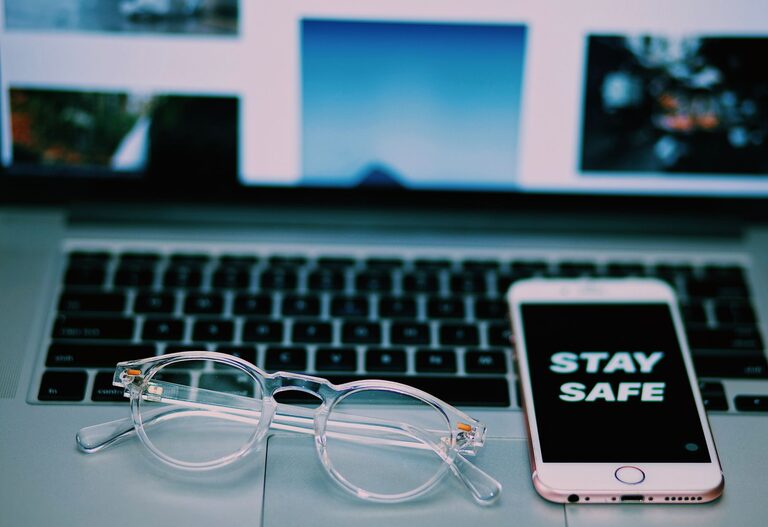
Keeping your phone and keyboard clean is essential for both hygiene and the longevity of your devices. Everyday use exposes these gadgets to dirt, oils, and germs, which can build up and potentially cause issues over time. Fortunately, cleaning your devices safely is straightforward with the right tools and techniques. This guide will walk you through the best practices to clean your phone and keyboard without causing any damage.
Why Cleaning Your Phone and Keyboard Matters
Phones and keyboards are some of the most frequently touched objects we own. Studies show that these devices can harbor more bacteria than many household surfaces. Regular cleaning helps:
– Remove germs and reduce the risk of transferring bacteria
– Prevent sticky keys or unresponsive buttons caused by dirt
– Maintain the overall appearance and function of your gadgets
Now, let’s look at how to clean each device effectively.
How to Clean Your Phone Safely
What You’ll Need
– A microfiber cloth (soft and lint-free)
– Cotton swabs
– Isopropyl alcohol (70% or less)
– Distilled water
– Small spray bottle (optional)
– Toothpick or soft brush (optional)
Step 1: Power Off Your Phone
Before you begin, turn off your phone and unplug it from any chargers or accessories. This minimizes the risk of electrical damage and ensures safety.
Step 2: Remove Phone Case and Accessories
Take off any phone case, screen protector, or attachments. Clean these items separately according to their material instructions.
Step 3: Prepare Your Cleaning Solution
Mix equal parts distilled water and isopropyl alcohol in a spray bottle or small bowl. Avoid using household cleaners or bleach, as these can damage the screen’s coating.
Step 4: Wipe the Screen and Body
Lightly dampen the microfiber cloth with your cleaning solution. Never spray directly onto the phone. Gently wipe the screen, sides, and back of the phone.
Step 5: Clean the Ports and Crevices
Use a dry cotton swab or a soft brush to remove debris from charging ports, speaker grills, and buttons. Avoid inserting objects forcefully to prevent damage.
Step 6: Dry and Reassemble
Allow your phone to air dry completely before turning it back on or reinserting the case. This prevents moisture from causing internal issues.
How to Clean Your Keyboard Safely
What You’ll Need
– A can of compressed air
– Microfiber cloth
– Isopropyl alcohol (70% or less)
– Cotton swabs
– Soft brush or toothbrush
Step 1: Unplug the Keyboard or Turn Off the Wireless Connection
For wired keyboards, unplug from the computer. For wireless, switch off or remove batteries.
Step 2: Shake Out Loose Debris
Turn the keyboard upside down and gently shake it to dislodge crumbs and dust.
Step 3: Use Compressed Air
Hold the keyboard at an angle and spray compressed air between the keys to remove remaining particles. Short bursts are best to avoid moisture buildup.
Step 4: Wipe Down the Keys and Surface
Dampen a microfiber cloth with a small amount of isopropyl alcohol solution. Wipe the key tops and keyboard surface gently. Avoid getting moisture underneath the keys.
Step 5: Clean Between Keys
Dip a cotton swab lightly in the alcohol solution and use it to clean around the edges of the keys.
Step 6: Let It Dry
Wait a few minutes to ensure the keyboard is fully dry before reconnecting or turning it on.
Additional Tips for Maintaining Clean Devices
– Wash your hands before and after using electronic devices.
– Avoid eating over your keyboard or phone.
– Clean your devices regularly, at least once a week or more if used frequently.
– Use keyboard covers or phone cases for added protection.
– Keep cleaning supplies handy for quick touch-ups.
What to Avoid When Cleaning Your Devices
– Using paper towels or abrasive cloths that may scratch surfaces.
– Applying excessive moisture or spraying liquids directly onto devices.
– Using harsh chemicals like bleach, window cleaners, or ammonia-based products.
– Prying or forcing tools into ports or under keys.
Conclusion
Regularly cleaning your phone and keyboard is a simple yet effective way to improve hygiene and keep your devices in good working order. By following these safe cleaning tips, you can protect your gadgets from damage while reducing exposure to germs. Make it part of your routine to enjoy a cleaner, healthier tech environment every day.