
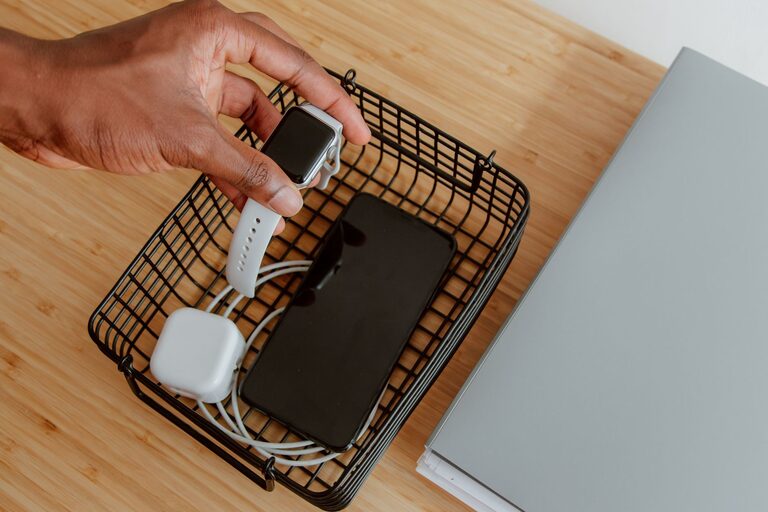
Setting up a dedicated charging station for your devices can simplify your daily routine, reduce clutter, and ensure all your gadgets are ready to use whenever you need them. From smartphones and tablets to wireless earbuds and smartwatches, having a centralized spot to charge everything helps keep your space neat and your devices fully powered. In this guide, we’ll walk you through the key steps to create a functional and stylish charging station at home.
Why Set Up a Charging Station?
Before diving into the how-to, it’s worth considering the benefits of a charging station:
– Reduces Clutter: Instead of scattered cords and chargers around your home, a charging station keeps everything in one place.
– Saves Time: You won’t waste time searching for chargers or outlets.
– Protects Devices: Keeps your devices off the floor or other risky surfaces.
– Enhances Organization: Makes your space look tidy and intentional.
Step 1: Choose the Right Location
Finding the perfect spot for your charging station is crucial. Consider:
– Accessibility: Pick a place you frequently use, like your desk, nightstand, or kitchen counter.
– Proximity to Power Outlets: Ensure there are enough outlets or a power strip nearby.
– Surface Size: Make sure the area can fit all your devices comfortably.
Popular spots include near your workspace, living room media center, or bedroom dresser.
Step 2: Gather Charging Equipment
To set up an efficient charging station, collect the right tools:
– Multi-Port USB Charger: A charger with several USB ports (USB-A and USB-C) allows you to plug in multiple devices simultaneously.
– Wireless Charging Pads: For devices that support wireless charging, use pads or stands to reduce cord use.
– Charging Cables: Keep a variety of cables handy—Lightning, USB-C, and micro-USB—to cover all your devices.
– Power Strip or Surge Protector: To expand outlets and protect your devices from electrical surges.
Consider chargers with smart technology that adjust power output according to device needs for faster, safer charging.
Step 3: Organize Your Charging Station
Keeping your station tidy improves usability and aesthetics. Here’s how:
Use Cable Management Tools
– Cable Clips or Holders: Attach these to your desk or wall to hold cables in place.
– Cable Sleeves or Tubes: Bundle multiple cords to reduce tangling.
– Charging Dock or Stand: Elevates devices and holds them upright for easy access.
Label Your Cables
If you share a charging station with family members or have similar cables, labeling them prevents mix-ups.
Add Storage for Accessories
Include small containers or drawers to store earbuds, adapters, and other small items.
Step 4: Set Up Your Devices
Arrange devices logically:
– Place frequently used devices in the most accessible spots.
– Group similar devices together, such as phones on one side and tablets on the other.
– For wireless chargers, position devices so their charging coils align correctly.
Make sure to leave space between devices to prevent overheating.
Step 5: Maintain Your Charging Station
A charging station is only helpful if it stays organized. Consider these maintenance tips:
– Regularly Untangle and Inspect Cables: Replace worn or damaged cables as needed.
– Clean the Area: Dust and wipe down surfaces to keep everything looking fresh.
– Update Charging Equipment: Technology changes fast—upgrade chargers and cables for better compatibility.
Bonus Tips for a Stylish Charging Station
– Use a small tray or decorative box to contain the chargers.
– Choose matching or coordinated charging accessories to blend with your decor.
– Add a small plant or decorative item nearby to make the area inviting.
Conclusion
Setting up a charging station is a simple project that pays off by keeping your devices organized and fully charged. By choosing the right location, gathering the proper equipment, organizing cables, and maintaining the setup regularly, you can enjoy a clutter-free and efficient space tailored to your charging needs. Whether you’re a busy professional, a student, or just someone who uses multiple gadgets daily, a well-planned charging station can make your life easier and your home more organized.